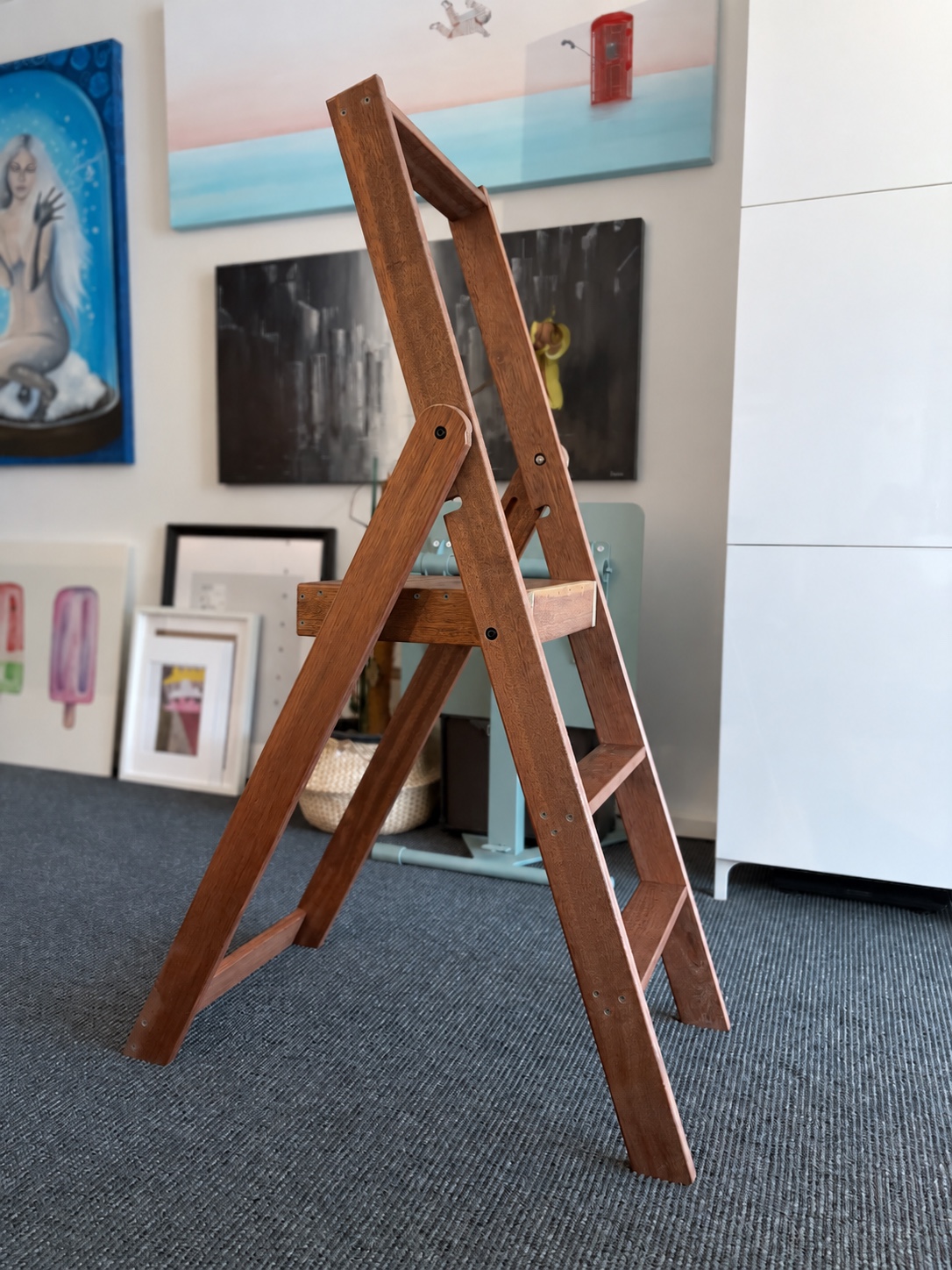
I almost never copy a design this closely. Karl Malmvall’s
Step stepladder for Design House Stockholm
gave me very little reason to redesign it. The mechanism and general
proportions were almost exactly what I wanted. The two actual ladders I
encountered were another matter.
So I built my own from hardwood fence timber. About A$70 in materials, several
weeks of work, and a nearly year-long pause in the middle. It still needs
finishing, but it already feels considerably sturdier than the ones that
started this.
Built, but not quite finished. Sanding, probably more oil, and rubber feet
are still on the list.
The central estimate is that companies controlled by Elon Musk have saved about
17,600 lives so far
and, conditional on a neutral civilization-level risk tail, will save about
48.6 million lives by 2126.
That is the answer. It is not yet the conclusion.
Here, central estimate means the model’s probability-weighted,
mean-like working value. It is neither the most likely single path nor the
midpoint of the 10th–90th percentile range.
The figure is an expected value against a world in which the companies never
existed but governments, competitors and ordinary technological progress did.
It credits Tesla neither with every electric car nor xAI with every future
medicine. It asks a narrower, more interesting question: how much earlier did a
useful capability arrive because the companies existed, how much mortality can
it address, and what harm did the companies cause on the way?
The green interval is the operational 10th–90th percentile range, not a
statistical confidence interval. The blue point is the U.S. central estimate.
One of my favourite Persian poems is عصیان
بندگی (The Servant’s Rebellion) by Forugh Farrokhzad. Born
in Tehran in 1934, Farrokhzad became one of Iran’s defining modernist poets and
also a filmmaker before her death in 1967, at only 32. Across five poetry
collections, she wrote with a directness, intimacy and defiance that Persian
literature had not heard from a woman before.
The Servant’s Rebellion opens her third collection,
Rebellion, published in 1958. It begins as a question and expands
into a trial: the speaker indicts a God who creates both the sinner and the
temptation, grants neither humanity nor Satan an independent will, then
punishes them for following the nature he supplied. Its final request is
modest enough to make the accusation devastating: leave us alone for one
moment, let the choice actually be ours, and only then judge what follows.
No, your car does not drive itself. Your Toyota may centre itself between
painted lines and follow the car ahead. Useful. Occasionally pleasant. But it
is controlling lateral position and following distance inside a narrow
envelope. It is not driving.
Driving begins where the immediate stimulus ends. Tesla’s Full Self-Driving
(Supervised) watches a semi turn, predicts where its trailer will be seconds
later, selects Reverse and makes room before the conflict exists. On a narrow
road it can reverse until it finds a place wide enough for two cars. It does
not merely correct. It plans.
That is not autonomy; Supervised is in the name. Selected successes do
not establish a safety rate. They do show planning that ordinary lane
assistants do not perform.
There is one button I look for when I reach an online checkout:
This button is not decoration. It is the checkout.
When it is there, I confirm the card and details already on my device,
authenticate and move on. Without it, the store wants my name, address and card
details in another form. Sometimes it also wants an account and the privilege
of storing my card.
No. I wanted the thing in the cart, not a clerical relationship with your
database.
People occasionally describe someone as having strong opinions. The
phrase is usually delivered as a neutral observation, though it often carries
the faint scent of a warning: this person may be stubborn, loud or difficult.
Those are failures of conduct. They have little to do with the strength of an
opinion.
By strong, I mean a conclusion that can bear weight. Its owner can
account for where it came from, has exposed it to resistance and knows what
would change it. Strength is not certainty. It is confidence earned by the
quality of the work underneath it.
I am not talking about tastes, direct observations, urgent warnings, questions
or brainstorming. “I dislike coriander,” “I smell smoke” and “Could this fail
under load?” do not pretend to be distilled judgments. I am talking about a
conclusion presented for someone else’s serious consideration — something
offered as a view of how the world is or what should be done.
On that meaning, only strong opinions are worth sharing.
There is a fashionable new way to avoid thinking. Notice an em dash, a tidy
list or a sentence with suspiciously polished edges. Announce that AI was
involved. Dismiss the whole thing.
The post may be correct. The product may work. The patch may fix the bug. None
of that matters once the detector in someone’s head has beeped. The work has
been placed in the AI bucket, the bucket has been labelled slop, and
judgment can stop before it becomes tiring.
AI did not create this habit. It merely brought it to the surface. Plenty of
people have always cared more about the signals surrounding an idea than the
idea itself. Tell them a person they admire said something and they lean
forward. Tell them the same words came from someone they despise and they stop
listening. Now authorship by a machine provides an even cheaper excuse.
Shower storage for renters is a parade of bad compromises. Suction cups
eventually surrender, adhesive mounts are only notionally removable, and
caddies hanging from the shower head put a cluttered collection of bottles at
face height.
So I had PCBWay fabricate a shelf from a single piece of 4 mm aluminium sheet.
It cost about A$200 including shipping, which is absurd for a shower shelf and
entirely reasonable for never having to think about shower shelves again. It is
wide, essentially indestructible in ordinary use and, most importantly, sits
at waist height rather than in our faces.
This render is very close to the shelf's actual position in our shower. The
tap spacing and the alcove determine where it belongs.
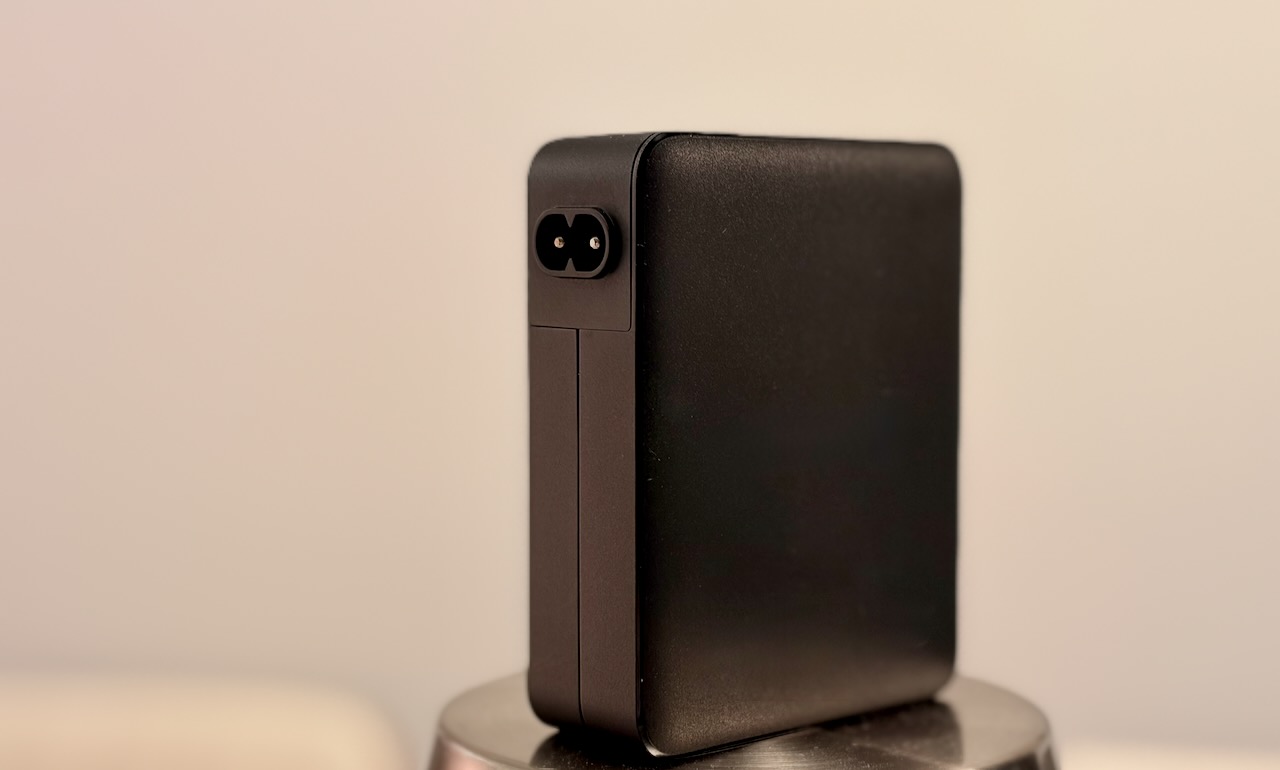
Most wall chargers insist on hanging directly from the wall. One white-label
USB-C travel charger I found does something much smarter: its interchangeable
heads include an IEC 60320 C8 inlet alongside the usual country-specific wall
plugs. Fit that head and an ordinary C7 “figure-eight” mains lead plugs straight
into it. Apart from Apple’s chargers, it may be the only travel charger I’ve
seen that can be used with an extension cable.
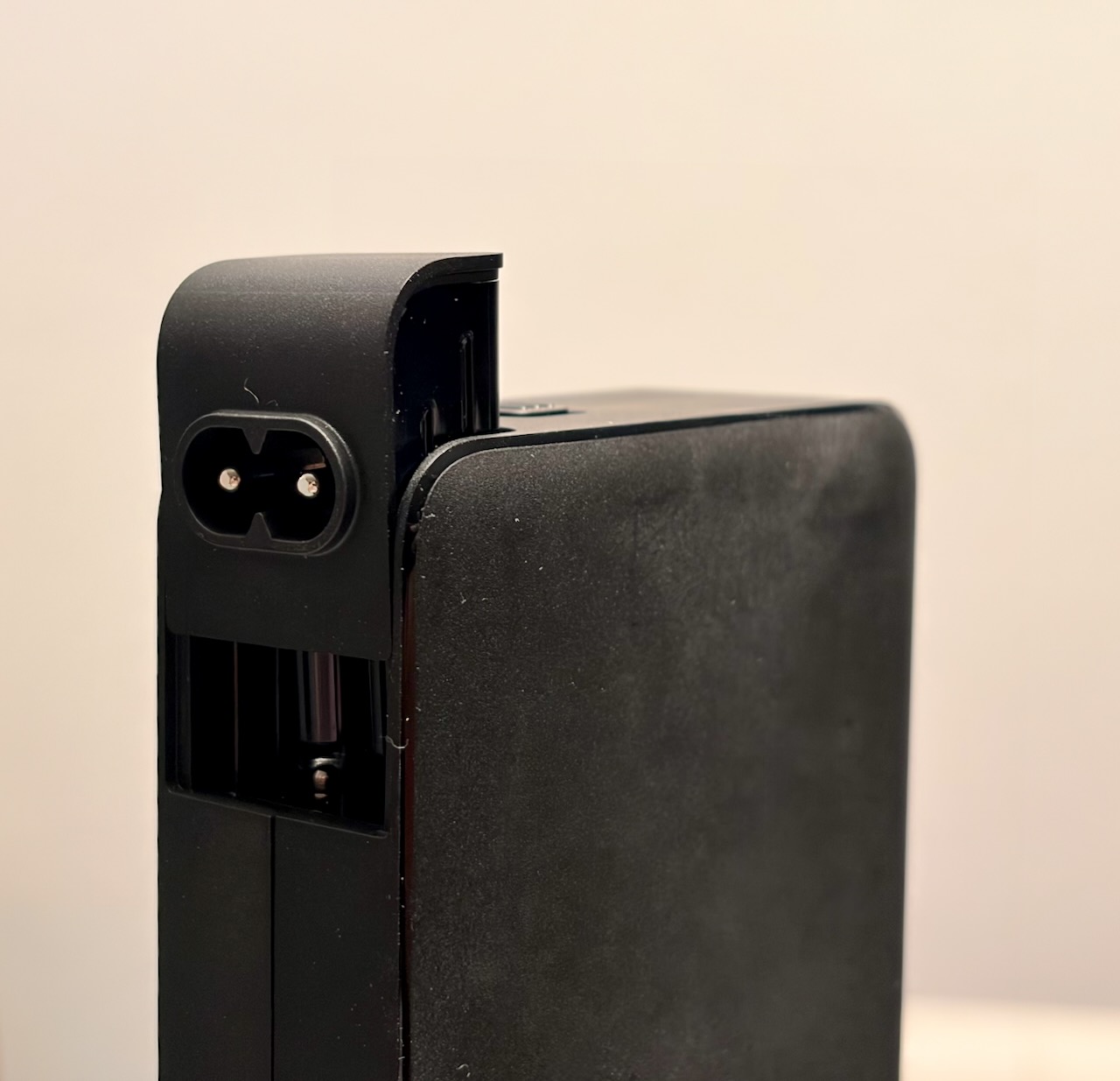
The supplied C8 head fitted to the charger.
The C8 inlet is part of the removable head. The ribbed connector behind it
merely attaches the head to the charger.
I’ve moved my embedded Go work to
Zed. It is super
fast, pleasant and increasingly secure by default. For me it beats the shit out
of messy VS Code: fewer layers, less interface debris and no feeling that my
text editor is a browser wearing a tool belt.
Zed is a native Rust application with a purpose-built, GPU-accelerated UI
designed to render at
120
frames per second. Unfamiliar worktrees also open in
Restricted Mode, so project settings cannot start language
or MCP servers until I explicitly trust the worktree. Speed without careless
defaults. Rather nice.
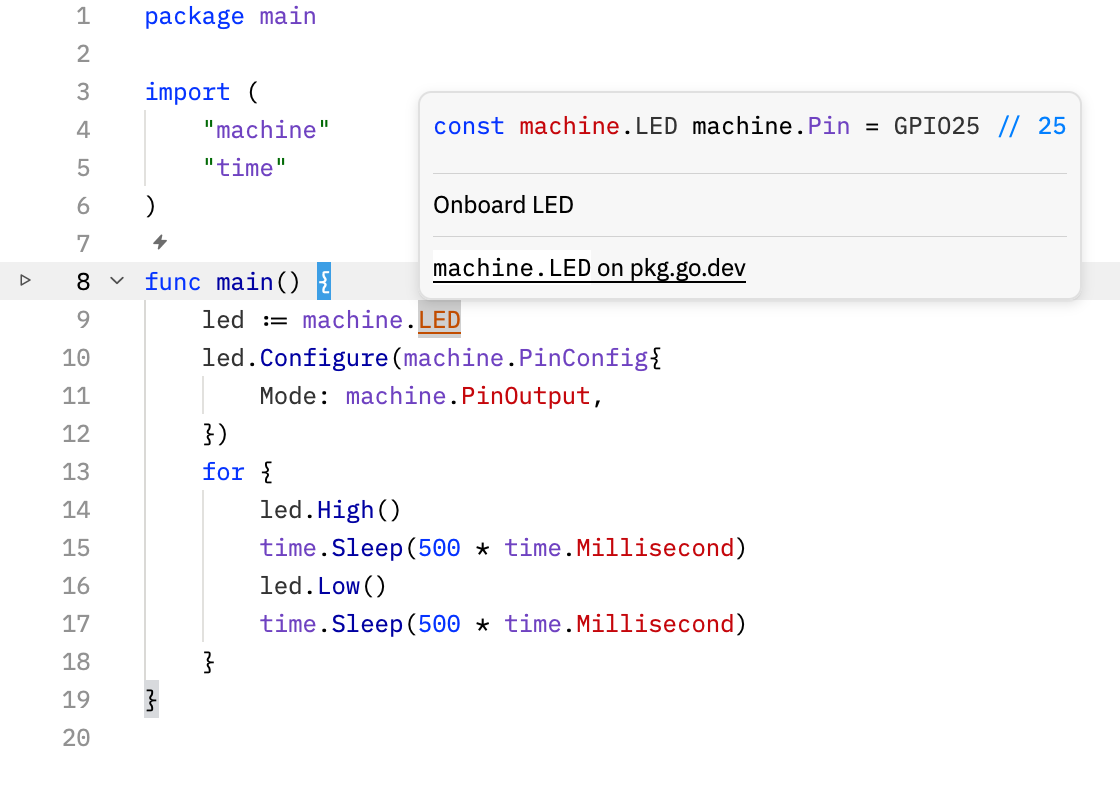
Zed’s native Go tooling resolving TinyGo’s machine package for a
Pico target.