Muting DJI Neo 2 Speaker
The DJI‘s Neo 2‘s onboard speaker is one obnoxiously loud piece. So I opened it up, unplugged the speaker cable from the main board, and snipped off the loose wire and now it’s blissfully silent (except the little startup music that plays out of the motors!).
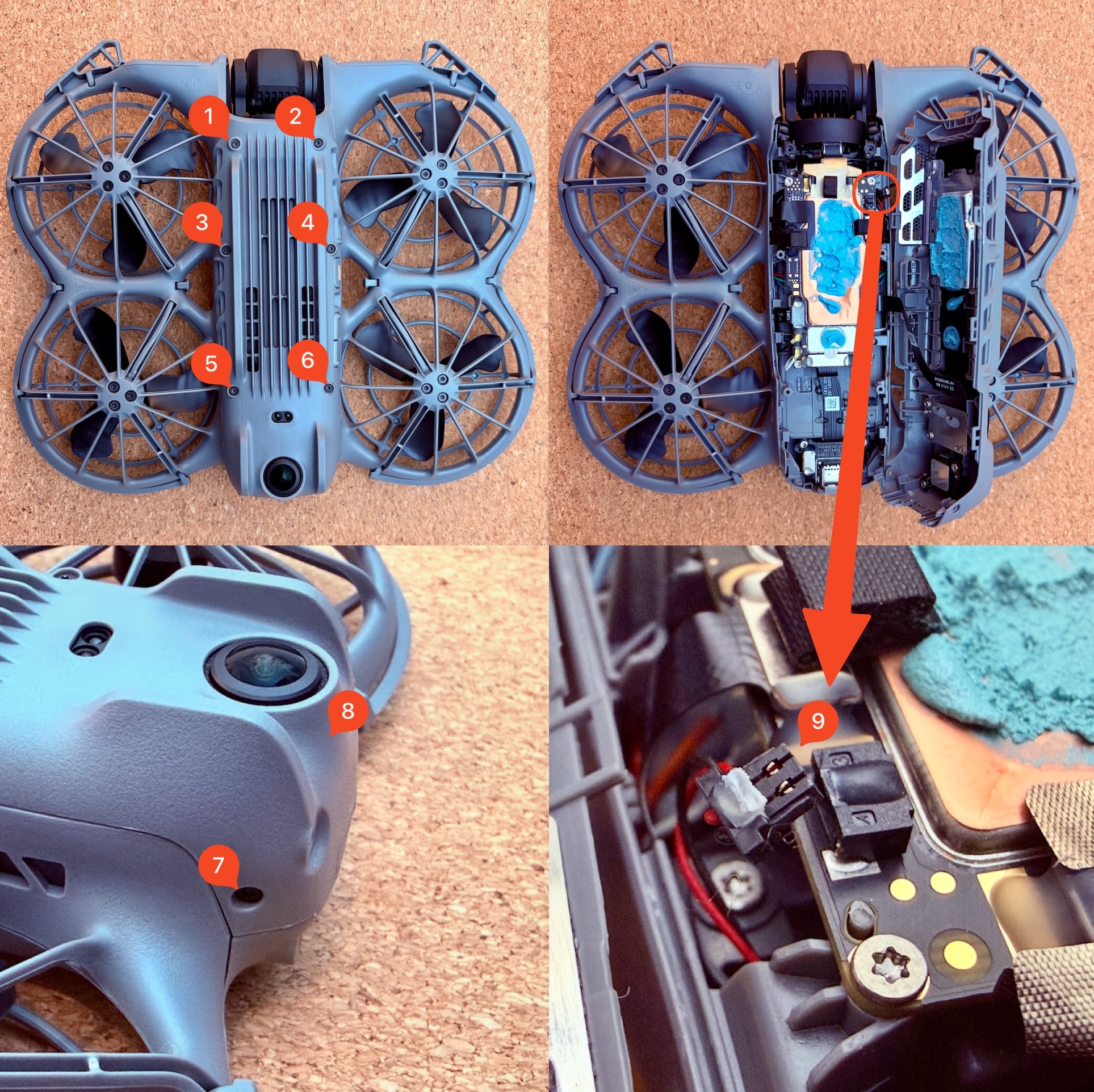
Speaker connector location.
Gotcha: preserve the blue thermal putty. It is a soft gap filler, not ordinary CPU paste: it bridges uneven power electronics to the shell, whereas paste is too thin and a fixed-thickness pad may not contact everything. Keep it clean and press any displaced material back into its original footprint with a clean plastic tool before closing the shell. If any is lost or contaminated, do not fly until the same coverage has been restored with a soft, electrically insulating putty such as iFixit Thermal Putty (the exact DJI material is not documented); poor contact can overheat the motor controller and cause loss of propulsion.
- Loosen the 8 T4/T3 screws shown in the photos.
- Use a thin plastic prying tool to lift the bottom panel off. Be careful not to break the clips inside.
- Use a knife to cut the glue securing the speaker plug along the edge of the connector and the plug.
- Remove the speaker plug.
- Optionally, snip off the loose wire for a cleaner look.
- Ensure remaining wire is secured to the chassis so it doesn‘t dangle around — you can glue it.
If you like this sort of quieting hack, Visual Beep is a similar one with an IKEA clock.